
How do you choose a fish to ride?
Return to your own aquarium, use Unequip on the fish you want, open the backpack inventory, and select that fish’s card. The PC tutorial says to equip the hotbar fish and take it to the sea. Click the card if it is not yet selected and held; if inventory selection already equipped it, continue without another click. Check the seated avatar and Dismount control before timing a route.
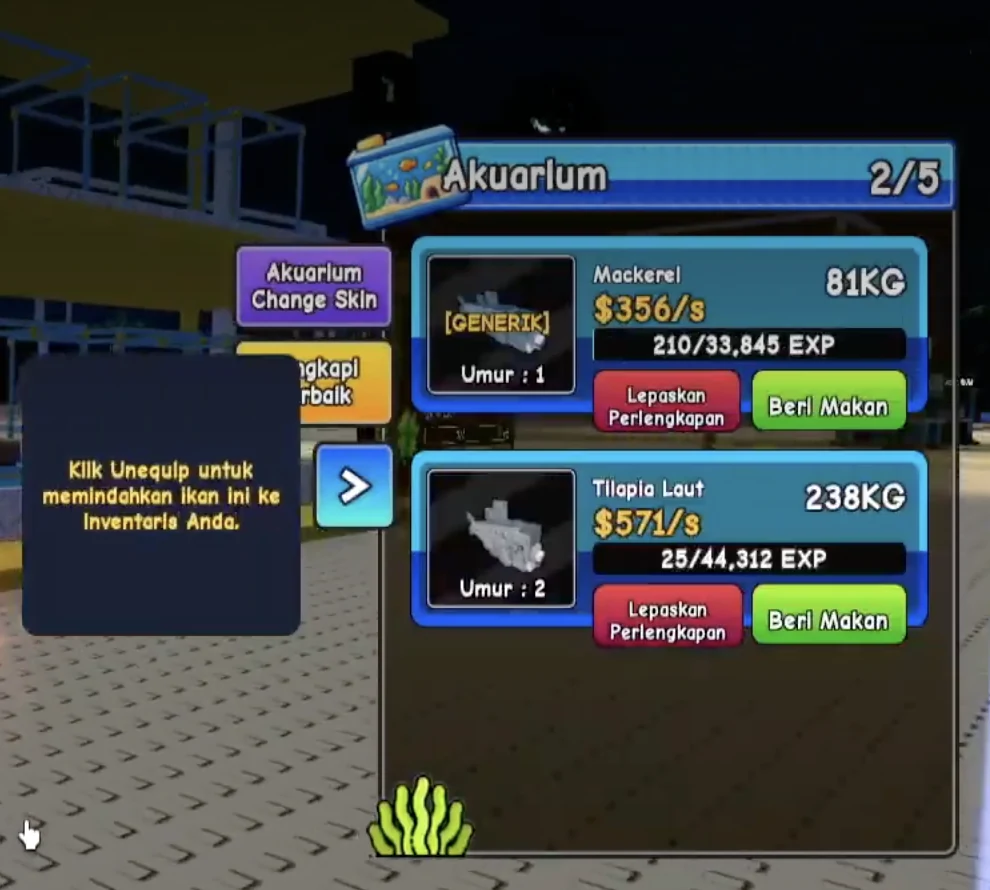
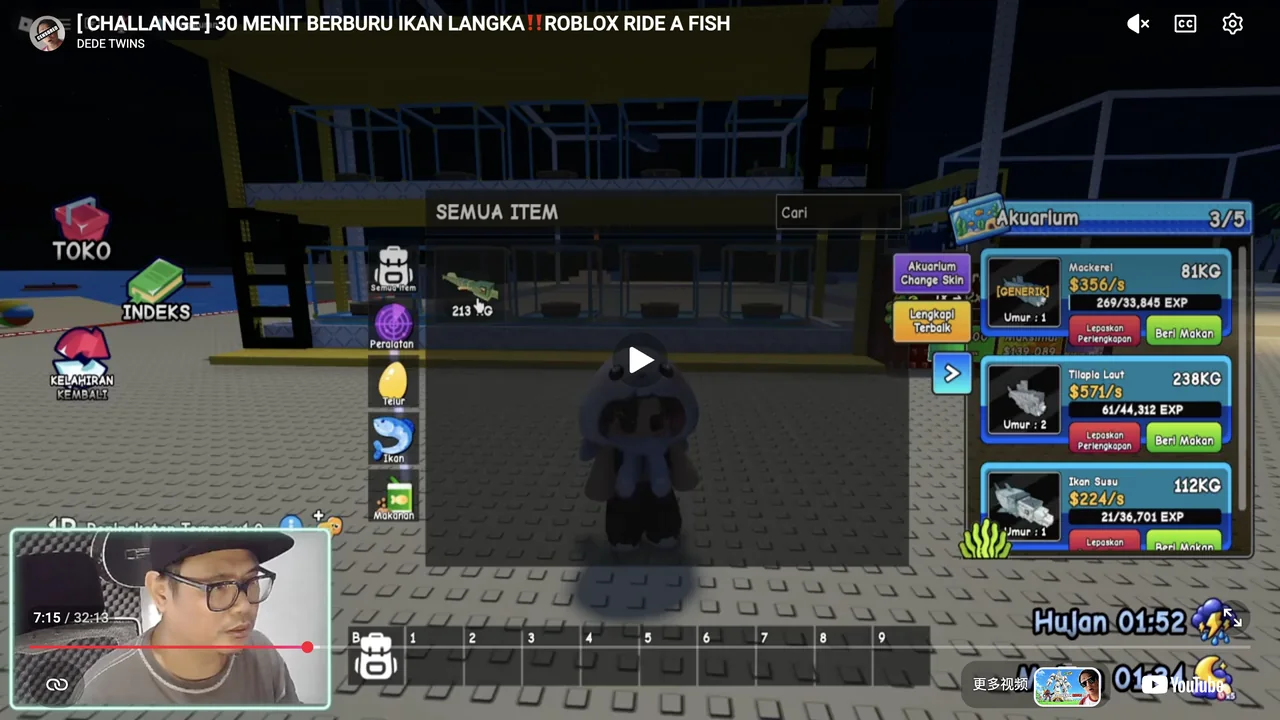
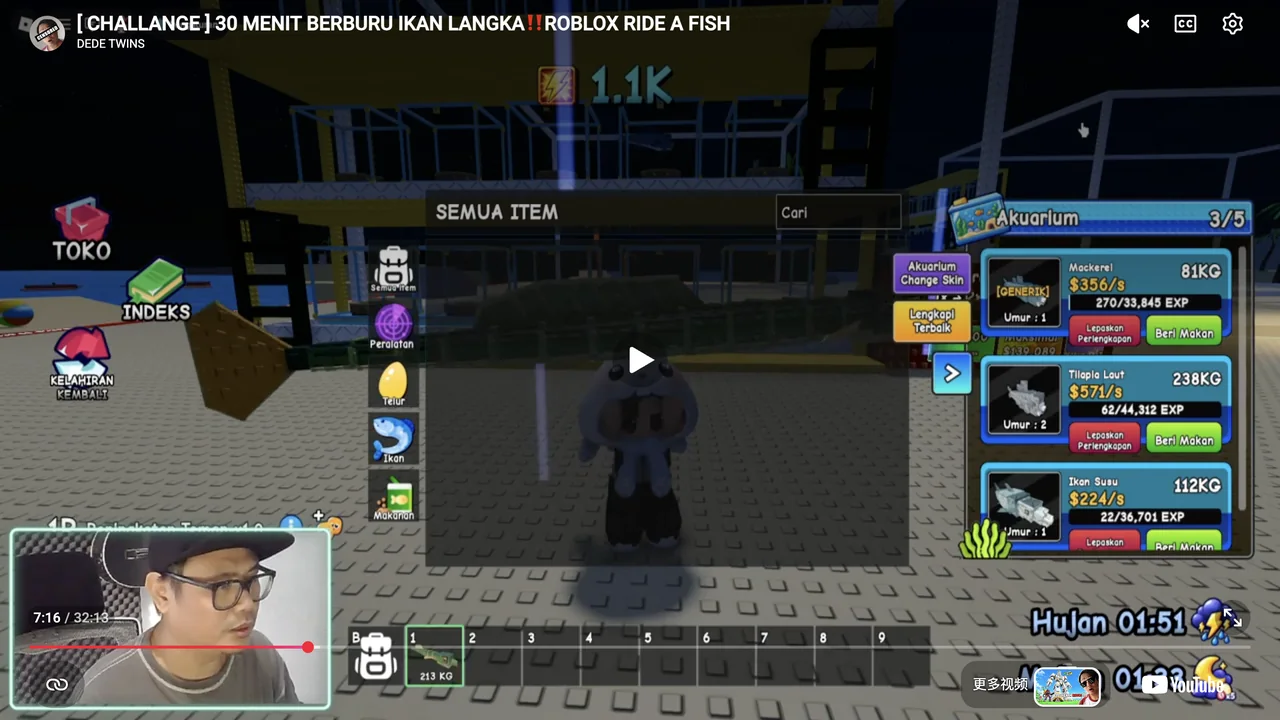
The interface in this PC recording is partly translated into Indonesian. The red aquarium button reads Lepaskan Perlengkapan; its tooltip calls the action Unequip and explains that it moves the fish into inventory. The red Dismount control shown while riding is a separate action.
The recording shows the aquarium panel appearing on the right near the player’s own yellow aquarium. It does not establish a separate manual opening button or the hidden trigger that changes a held fish into a ride. Follow the visible tutorial and confirm the resulting state rather than assuming a particular number key or automatic water-entry rule.
Select a fish and confirm its state
Return to your own aquarium
Go back to the aquarium where your fish are kept. The reviewed sequence shows the fish panel appearing on the right near the player’s own yellow aquarium. Locate the intended fish by its name and card before using Unequip.
Use Unequip on that fish
Use the red Unequip action below its card, beside the green Feed action. In the reviewed sequence the Pipefish transfer notification appears and aquarium occupancy decreases.
Open the backpack inventory
Use the backpack control beside the hotbar. The recording opens SEMUA ITEM, meaning All items; a fish category is also visible. Locate the fish just moved out of the aquarium.
Select the fish card
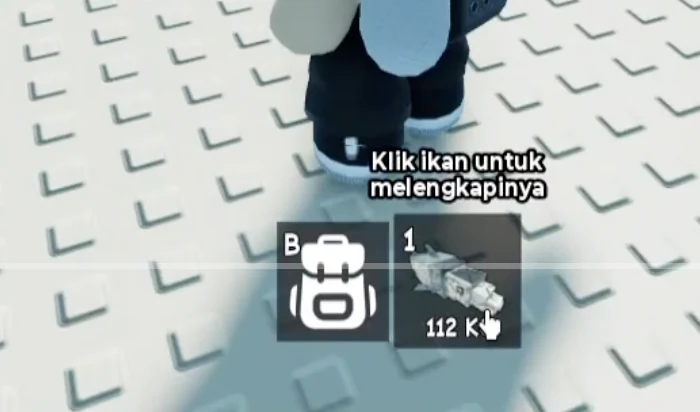
Select that inventory card. In the reviewed sequence the card leaves the inventory grid, the same fish appears in hotbar slot 1, the slot gains a green outline, and the avatar holds the fish.
Equip the fish and take it to sea
Check whether the avatar already holds the selected hotbar fish. If so, continue to the sea without clicking again. If it is not yet equipped, click its hotbar card first, as the PC tutorial instructs, then take it to the sea. Confirm that the avatar is seated on that fish and the red Dismount control appears. The tutorial provides these instructions; it does not show a separate Ride button or establish a hidden mount trigger.
Why did the fish leave my aquarium?
That is the behavior described by the Unequip tooltip: the fish moves into inventory. In the Pipefish example, aquarium occupancy changes from 4/5 to 3/5 and a transfer notification names the fish. This action is not shown deleting the fish.
Do not confuse Unequip, Feed, and Dismount. Unequip moves an aquarium fish to inventory. Feed is a neighboring button with a different purpose. Dismount appears during riding. This guide does not establish every reverse-transfer control or the behavior of future interface revisions.
If the expected fish is absent from the hotbar, inspect inventory and the transfer message again. A displayed fish in the aquarium is a different state from an inventory card, a selected hotbar item, and a mounted ride. Record which state you actually reached.
Compare two rides on the same route
Fix a familiar circuit
Choose the same start, midpoint, and finish for both rides. Prefer a route you can repeat without searching for landmarks.
Record the baseline
Time the current ride in seconds, using the same observable start action and finishing landmark. Record the active fish, weather, carried egg state, and interruptions.
Change the fish and confirm it
Use the aquarium-to-inventory sequence where needed, select the intended card, and confirm the mounted fish. Keep the route and timing rule unchanged.
Compare successful runs
Repeat comparable runs and keep collisions, detours, or connection failures separate. Prefer a result you can reproduce rather than one unusually quick attempt.
What does a route time mean?
It measures how long your chosen circuit took in the recorded conditions. Seconds are route-time units, not the game’s internal fish-speed units. This testing method is editorial advice; it is not a developer-provided ranking formula.
For a relative comparison, time reduction = (baseline time − new time) ÷ baseline time × 100. The denominator is the baseline route time. A negative result means the new run took longer. This arithmetic uses your measurements and does not establish a game-wide improvement percentage. Use a baseline time greater than zero.
If weather, a mutation label, the route, or the carried egg changed, record that difference. A faster-looking animation, heavier fish, or rarer label alone does not establish a faster route. No complete current fastest-fish ranking is verified by these sources.
Fish-selection questions
Is Unequip the same as Dismount?
No. The aquarium tooltip says Unequip moves the fish into inventory. Dismount is the riding control visible once the avatar is mounted.
Does an inventory weight tell me fish speed?
No speed relationship is established here. A displayed weight belongs to that fish instance and should not be converted into movement speed.
Should I press the number 1 key?
The verified PC tutorial says to click an unequipped hotbar fish to equip it. If inventory selection already leaves the avatar holding it, proceed without another click. The slot’s number does not establish a number-key mapping; touch controls have not been verified.
Why is there no fastest-fish tier list?
Current fish speeds and acquisition paths have not been verified comprehensively. The directory helps choose an action; the route method helps compare your own rides.
Sources and their limits
- DEDE TWINS — first-riding tutorial and hotbar controls
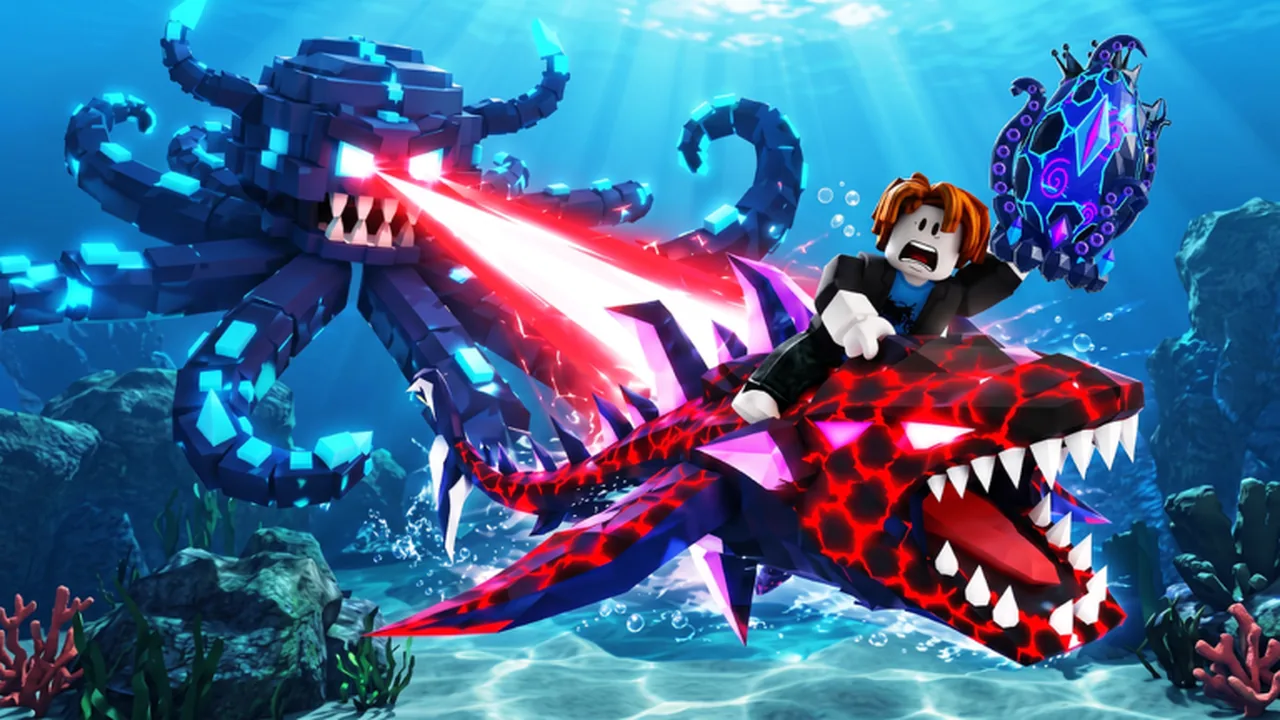
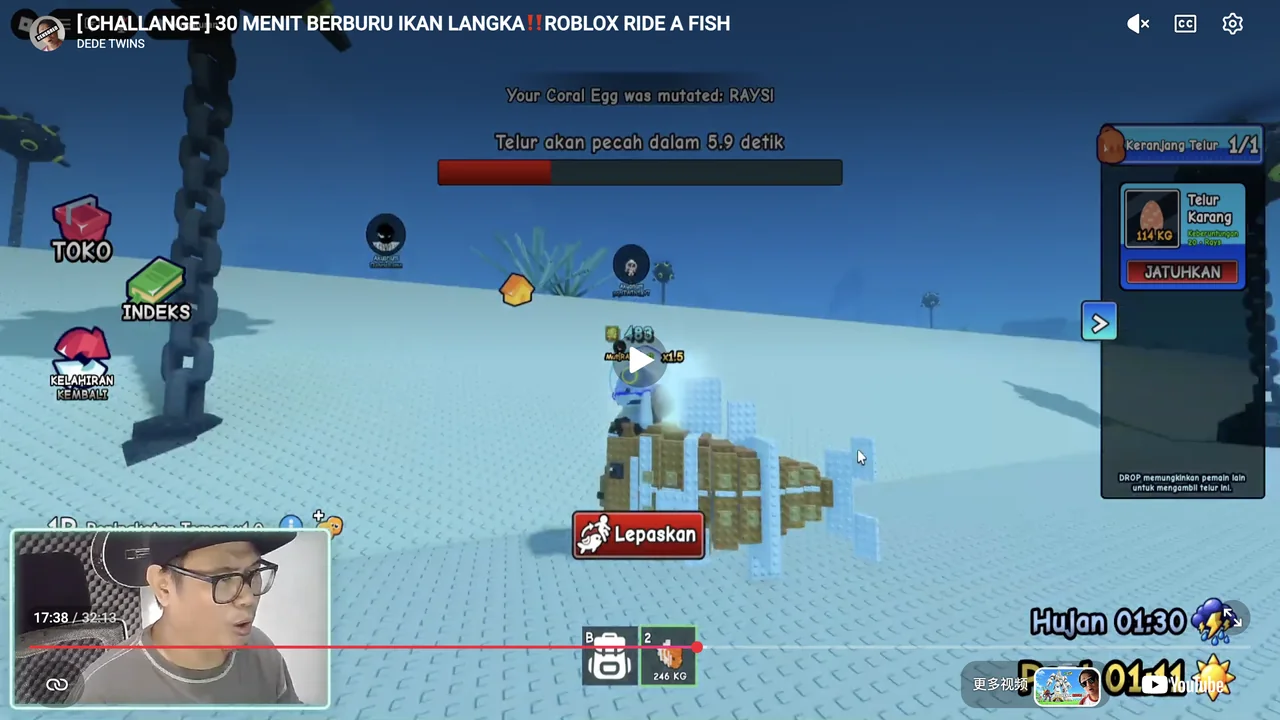
Actual PC playback at 1:27 shows the tutorial instructing the player to click the fish to equip it. At 1:28–1:30 it says to take the fish to the sea and collect eggs; 1:44 shows the mounted state and Dismount. This fish is already present before the later Coral Egg hatch, so it is not evidence that every new hatch enters the hotbar automatically. The opening carousel matches two exact official target-game images. The hidden mount trigger, number-key mapping and touch controls are not established.
Accessed - DEDE TWINS — aquarium, inventory and fish selection
Actual PC playback at 6:15–6:16 shows the right-hand aquarium panel appearing near the player’s own yellow aquarium. At 6:19 and 7:05–7:23 it shows the Unequip tooltip, a Pipefish transfer notification, aquarium occupancy decreasing, the inventory card, selection into the hotbar, and the resulting mounted Pipefish. Indonesian labels are translated. The opening carousel matches two exact official target-game images. A manual panel-opening button, automatic proximity/mount trigger, universal speed, weight, income and touch controls are not established.
Accessed - Ride A Fish — official Roblox experience
The description supports underwater egg hunting, hatching rarer and faster fish, riding, and rain-associated mutations that can make fish faster. It does not establish exact collection controls, hatch timers, named drops, speeds, or mutation probabilities.
Accessed